
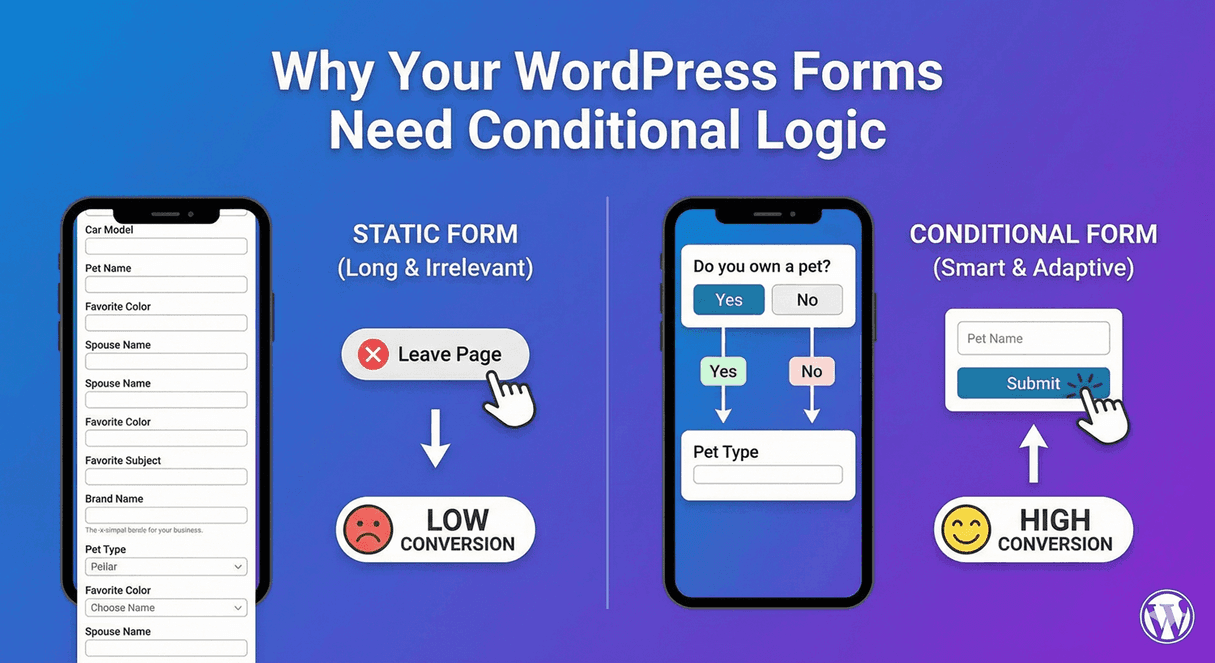
Why Your WordPress Forms Need Conditional Logic
Most WordPress forms are longer and less effective than they need to be, and the reason is almost always the same: they don’t use conditional logic. Without it, a form has no choice but to show everyone every field — which makes it long, generic, and lower-converting. With it, a form adapts to each person, staying short and relevant. If you build forms and aren’t using conditional logic, here’s why you should be.
The problem conditional logic solves
Every form faces a tension: you often need different information from different people, but you can only build one form. Without conditional logic, you’re stuck choosing between a long form with every possible field (which people abandon) or several separate forms (which confuse people). Conditional logic resolves the tension — one form that shows each person only the fields relevant to them. That’s the core reason it matters: it lets a single form be short for everyone while still collecting everything you need.
What it actually does
Conditional logic is a set of rules that make your form react to answers. Show a field when a certain option is picked; hide a section when it doesn’t apply; change the thank-you message, redirect, or email based on responses. It’s the “if this, then that” that turns a static form into a responsive one. Our full explainer on what conditional logic is breaks down the mechanics; the point here is why it’s essential.
Why your forms need it
Three concrete reasons every serious form benefits:
- Higher completion. Shorter, more relevant forms convert better — people finish forms that don’t waste their time. Our guide on conditional logic and conversion rates covers the direct link.
- One form, many jobs. A single contact form can serve sales, support, and general enquiries, routing each correctly — instead of you building and maintaining several.
- Less confusion, fewer errors. When people only see fields that apply, they’re not tripped up by irrelevant questions or blocked by required fields that shouldn’t apply to them.
Any form beyond the very simplest gains from at least one of these.
It’s easier than you think
A common reason people skip conditional logic is assuming it’s technical. It isn’t. In Auto Form Builder you set it up visually — pick a field, choose whether to show or hide it, and add the condition that triggers it. Combine conditions with AND/OR when you need precision (our AND vs OR guide covers this), and it works with every field. No code, no complexity — just a few clicks.
Where to start
If you’re new to it, start small: add one rule that reveals an “Other (please specify)” field when someone picks “Other,” or shows a follow-up question only for a certain answer. Once you see how much cleaner it makes the form, you’ll find more places to use it. For longer forms, graduate to multi-step branching that skips whole sections. Our guide to dynamic forms shows where this leads.
The bottom line
- Conditional logic keeps forms short and relevant to each person.
- It lets one form do the work of several.
- It reduces confusion and lifts completion.
- It’s visual, no-code, and free.
A form without conditional logic is leaving completions on the table. It’s one of the highest-impact features you can use, it’s genuinely easy to set up, and in Auto Form Builder it costs nothing. For practical tips, see conditional logic best practices for better UX.
Ready to give your forms conditional logic? Install Auto Form Builder free from WordPress.org.
FAQ
Why do WordPress forms need conditional logic?
Because it keeps forms short and relevant — showing each person only what applies to them — which improves the experience and lifts completion rates.
Is conditional logic hard to set up?
No. In Auto Form Builder you set it visually: pick a field, choose show or hide, and add a condition. No code, and it's free.