
Features
Conditional Logic for WordPress Forms
Conditional logic makes forms react to answers — showing only what's relevant and routing what happens next. Free in Auto Form Builder.
What you can do
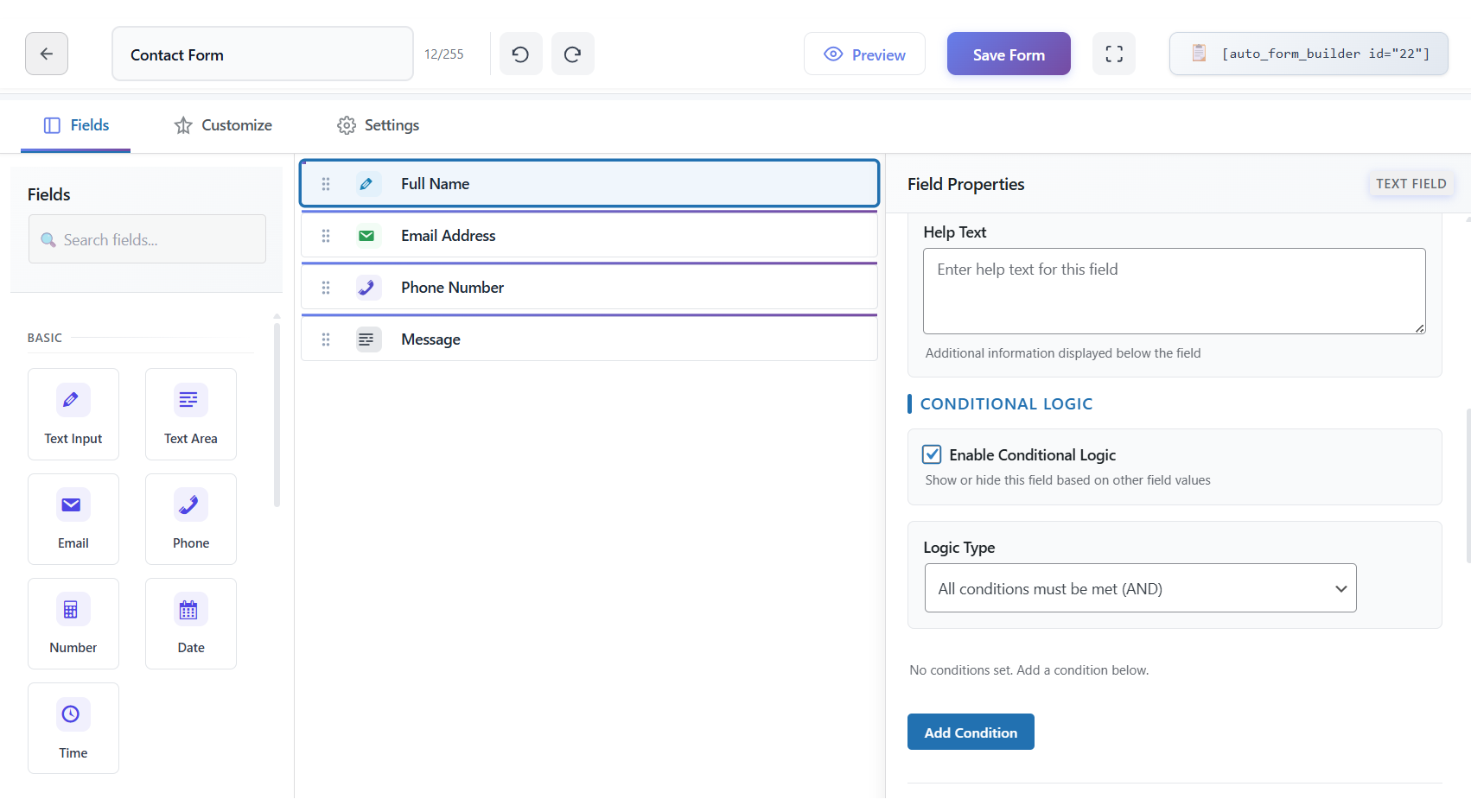
You can show or hide any field based on multiple AND/OR conditions, so visitors only see the questions that apply to them.
You can change the success message or redirect destination depending on how someone answers, guiding each lead to the right next step.
You can reroute, re-subject or skip admin and user emails based on answers, so the right people get the right notification every time.
You can auto-fill or copy a field's value when conditions match, cutting repetition and keeping data consistent across your form.
Conditional logic works with every field type in Auto Form Builder, including survey fields like NPS, star ratings and Likert grids.
How it works
- Add your fields to the form canvas in the drag-and-drop builder.
- Open conditional logic on any field, message, email or redirect and define the rules — single conditions or combined AND/OR groups.
- Choose what happens when conditions match: show or hide a field, change the thank-you message, redirect elsewhere, or adjust email routing.
- Save and preview on desktop, tablet and mobile to confirm the form behaves exactly as intended before you publish.
Why it matters
Shorter, smarter forms convert better because visitors are not overwhelmed by irrelevant questions. Conditional logic helps you capture cleaner data, route leads faster and reduce follow-up work — all without writing a line of code.
Related features
Related fields
FAQ
Does it work inside popups and page builders?
Yes — including Elementor, Brizy and WP Bakery, even with multiple copies of a form on one page.
Can logic change which email is sent?
Yes — skip, reroute or customize admin and user emails by answer.