
Features
Drag & Drop WordPress Form Builder
The drag-and-drop builder is the fastest way to build a professional form — no code, with live preview on every device. Free in Auto Form Builder.
What you can do
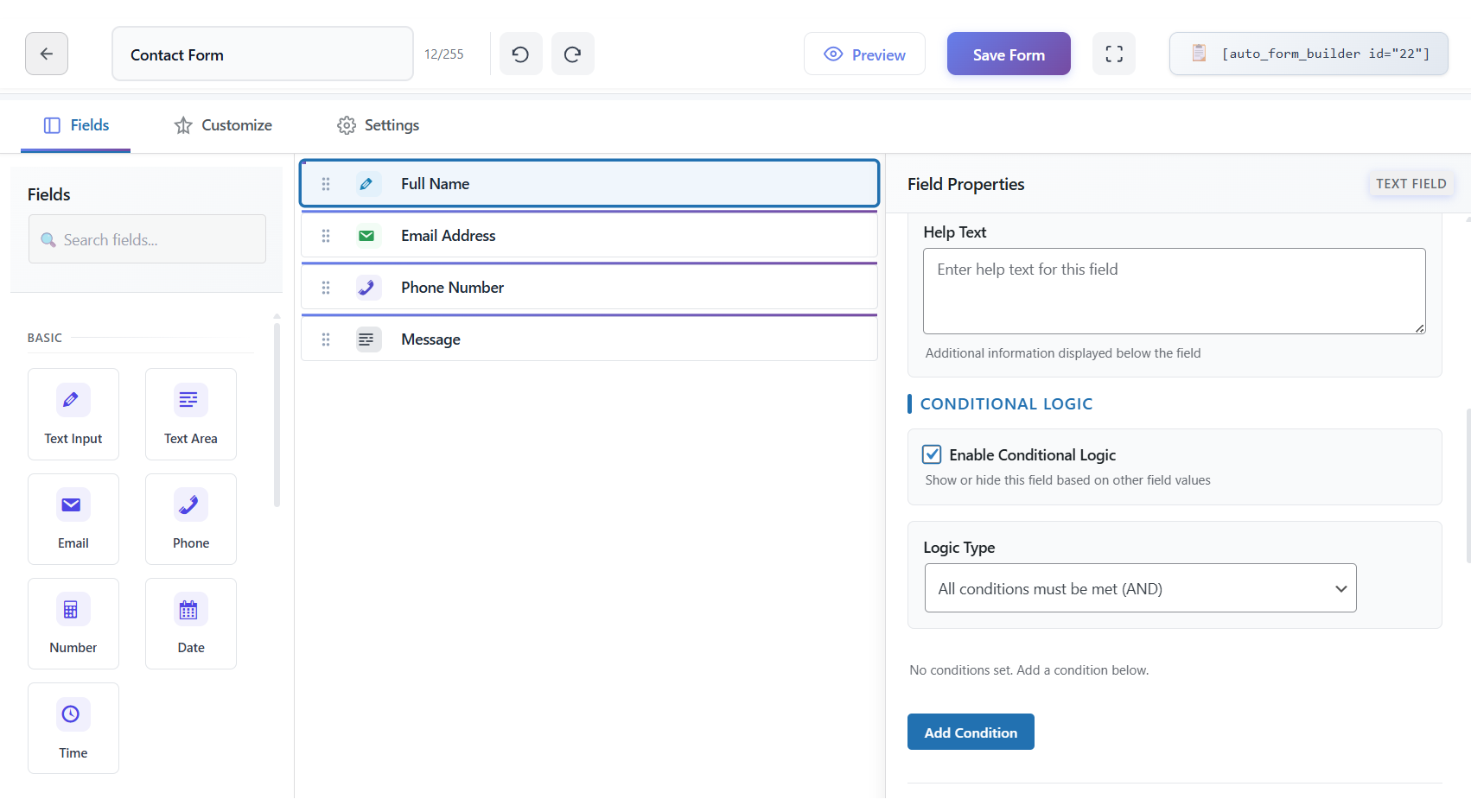
Drag fields from the panel directly onto the canvas and see your form take shape in real time.
Reorder fields by dragging them into place or use Move Up and Move Down for precise control.
Undo and redo changes as you build, so experimenting with layout never feels risky.
Preview your form on desktop, tablet and mobile before publishing, ensuring it looks right on every screen.
Copy a shortcode or embed code when you are done and paste it on any WordPress page or non-WordPress site.
Build by hand on the canvas or start with AI to generate a form from a description or uploaded document.
How it works
- Create a new form or open an existing one in Auto Form Builder.
- Drag the fields you need onto the canvas and arrange them in the order you want.
- Configure each field's settings in the right-hand panel — labels, validation, styling and conditional logic.
- Preview across devices, save your form, then copy the shortcode or embed code to publish it anywhere.
Why it matters
A visual builder means you ship forms in minutes instead of hours, without waiting on a developer for every change. Faster launches mean more leads captured sooner, and live preview helps you catch layout issues before they cost you conversions.
Related features
Related fields
FAQ
Do I need to code?
No — everything is visual, from building to styling to embedding.
Can I start from a template?
Yes — pick a pre-built template or a blank canvas.