
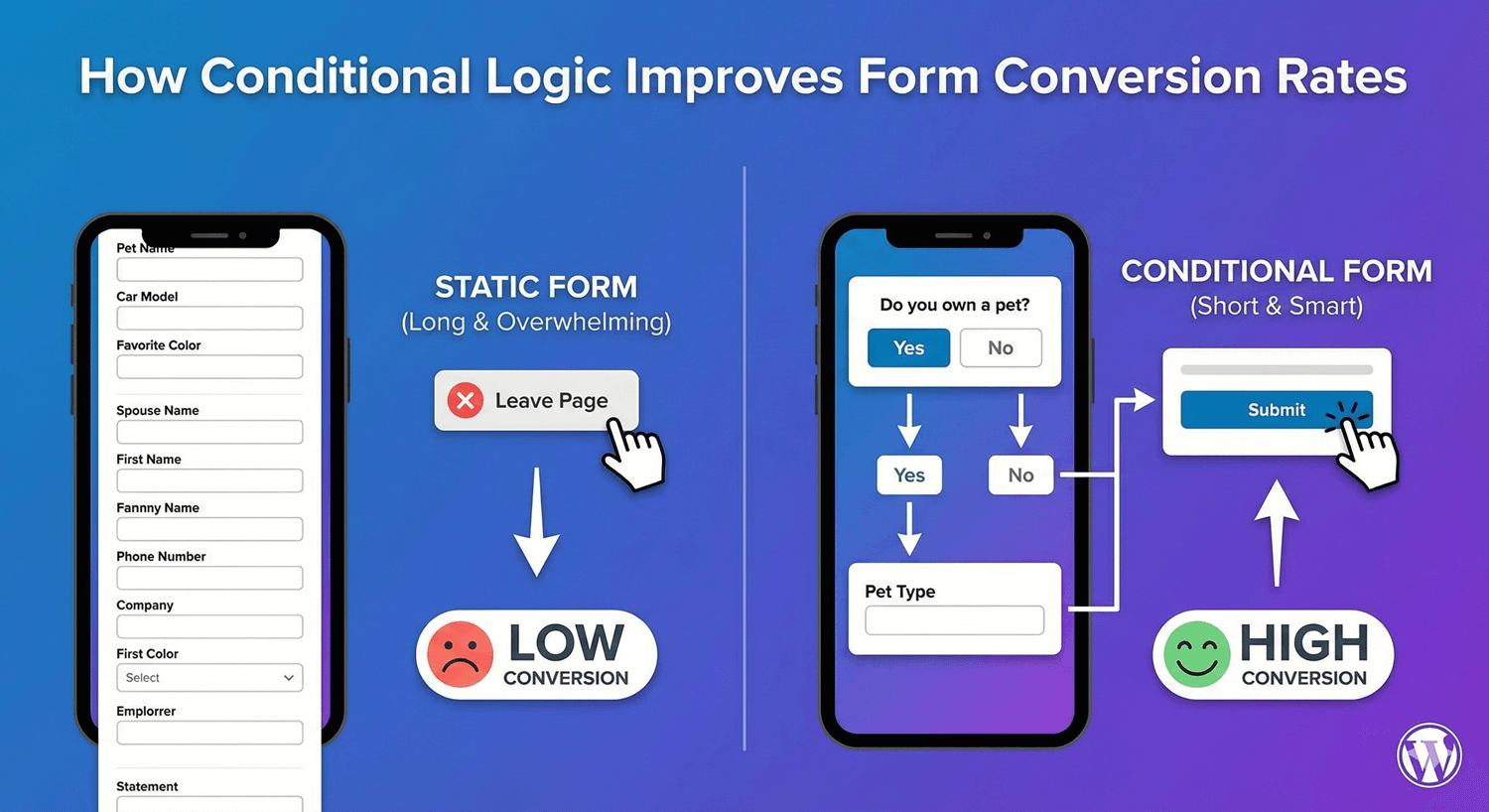
How Conditional Logic Improves Form Conversion Rates
Every extra field on a form costs you completions. That’s the single most important fact in form design, and it’s why conditional logic matters so much for conversions. By showing each person only the fields relevant to them, conditional logic keeps forms short and focused without sacrificing the information you need. Here’s the direct link between smart logic and higher completion rates — and how to make the most of it.
Why form length kills conversions
People abandon forms that feel long or irrelevant. Faced with a wall of fields — many of which don’t apply to them — a good number of visitors simply give up. The longer and more generic a form looks, the lower its completion rate. This is well established: reducing friction and perceived effort is one of the most reliable ways to lift conversions. The challenge is that you often genuinely need to collect different information from different people. That’s exactly the problem conditional logic solves.
Relevance is what conditional logic buys you
Conditional logic lets a form ask each person only what applies to them. Instead of showing everyone every possible field, it reveals fields based on earlier answers — so a new customer doesn’t see returning-customer fields, someone choosing “general enquiry” doesn’t see support-specific questions, and so on. Each person experiences a form that feels short and made for them, even though the form as a whole can collect a lot. Shorter and more relevant, for everyone — that’s the conversion win.
One form instead of scaring people off with several
Without conditional logic, you have two bad options: build one enormous form with every possible field (long, low-converting), or build several separate forms and make people find the right one (confusing, leaky). Conditional logic gives you a third, better option: one form that adapts. That’s less friction for the visitor and less to maintain for you, and it keeps people moving toward submit instead of bouncing off a form that doesn’t fit.
Shorten long forms with branching
For genuinely long forms, conditional logic combined with multi-step forms does even more. Answer-based branching skips entire steps that don’t apply, so each person takes the shortest valid path to the end. A progress bar plus branching turns an intimidating long form into a series of short, relevant steps — and step-based forms with clear progress consistently complete better than one long page. Our guide to conditional logic best practices covers how to do this well.
Reduce errors, reduce drop-off
Conditional logic also lifts conversions by preventing frustration. When people only see fields that apply, they’re less likely to be confused by irrelevant questions or blocked by a required field that shouldn’t apply to them. Fewer points of confusion means fewer people giving up partway through. A form that never asks someone something irrelevant is a form they’re more likely to finish.
Measure the impact
The good news is you don’t have to guess whether it’s working. Use form analytics to track your conversion rate — views versus submissions — before and after adding conditional logic. If you’ve genuinely made the form shorter and more relevant, you should see completion improve. Measuring closes the loop and tells you whether your logic is actually helping.
The conversion checklist
- Use conditional logic to show each person only relevant fields.
- Replace multiple forms (or one huge form) with one that adapts.
- Combine with multi-step branching to shorten long forms.
- Reduce confusion and irrelevant required fields.
- Measure conversion before and after with form analytics.
Conditional logic isn’t just a convenience feature — it’s one of the most direct levers you have on form completion. Shorter, more relevant forms convert better, and conditional logic is how you build them. It’s all free, no code required.
Ready to lift your form conversions? Install Auto Form Builder free from WordPress.org.
FAQ
Does conditional logic really improve conversions?
It helps by keeping forms shorter and more relevant to each person, and shorter, more relevant forms consistently complete at higher rates than long, generic ones.
How do I measure the impact?
Use form analytics to track your conversion rate before and after adding conditional logic, so you can see the effect on completion directly.