
Free Add-Ons
Google Sheets Integration
FreeSend every form submission straight into a Google Sheet, in real time — no CSV exports, no copy-paste. Free, and built into your Auto Form Builder dashboard.
What you can do
- Sync new submissions to a spreadsheet within seconds so your team always sees the latest rows.
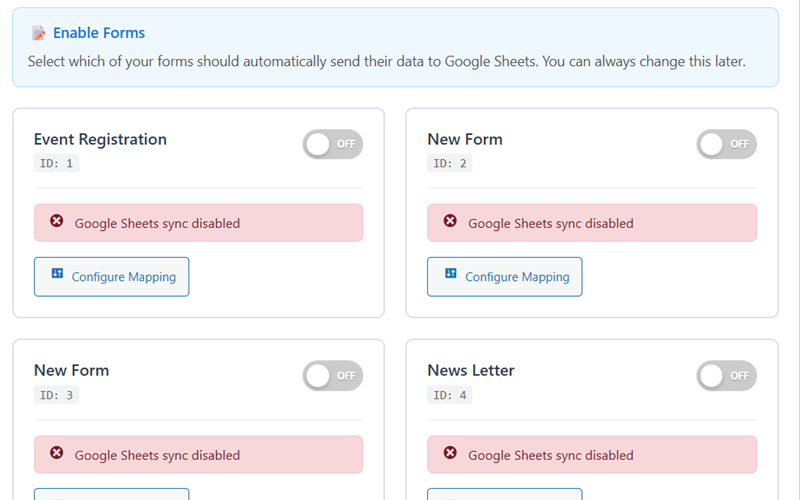
- Toggle sync ON or OFF per form — share some forms with Sheets and keep others private to WordPress only.
- Map form fields to columns visually — match, reorder or exclude fields without writing formulas.
- Generate column headers automatically from your form field labels for a readable sheet on day one.
- Choose real-time delivery or batch mode when a form receives high volume and you want fewer API calls.
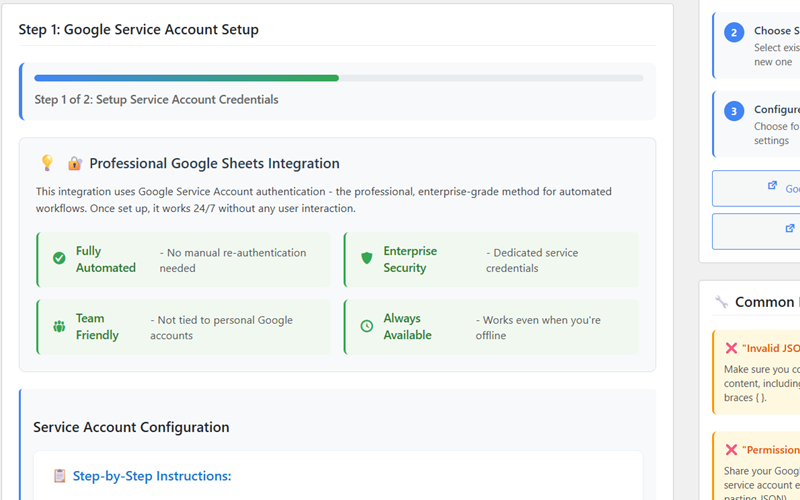
- Authenticate with a Google Service Account so sync keeps running 24/7 — not tied to a personal login that expires when someone leaves.
- Connect unlimited forms and submissions with no per-row fees or task limits inside the add-on.
Why it matters
Because it uses a Google Service Account, the sync keeps running when team members leave and never breaks on expired personal logins — the reliable way to power live dashboards in Sheets or Looker Studio. You get a direct pipe from WordPress to your spreadsheet without middleware like Zapier or Make, so there are no per-task fees eating into your budget as submission volume grows.
Sheets becomes your live source of truth for reporting: pivot tables, charts and Looker Studio dashboards all read from the same row stream. Field mapping means you control exactly which answers land in which columns, and per-form toggles let you sync public lead forms while keeping internal forms inside WordPress only. Setup takes minutes with a Service Account JSON file — no custom code on your theme, and no ongoing connector bill as your forms scale.
How to use it
- Install Auto Form Builder free from WordPress.org.
- Enable the Google Sheets add-on from the Add-Ons screen in your dashboard.
- Add your Service Account JSON credentials and select the target spreadsheet.
- Choose which forms sync, map fields to columns, and watch new entries appear as rows.
Related
FAQ
Is the Google Sheets integration free?
Yes — it's a free built-in add-on. No subscription, no per-task fees.
Does it need a paid Google account?
No — any free Google account works.
Is it real-time?
Yes — entries sync within seconds, with a batch mode for high volume.
Do I need Zapier or Make?
No — this syncs directly to Sheets.