
Free Add-Ons
Entry Tags
FreeEntry Tags turns a chaotic submissions list into an organized workflow. Label any entry with color-coded tags, filter to what matters in one click, and see context at a glance — free, and built right into WordPress.
Without tags, every submission looks the same — leads mixed with support, urgent buried under routine. Entry Tags fixes that.
What you can do
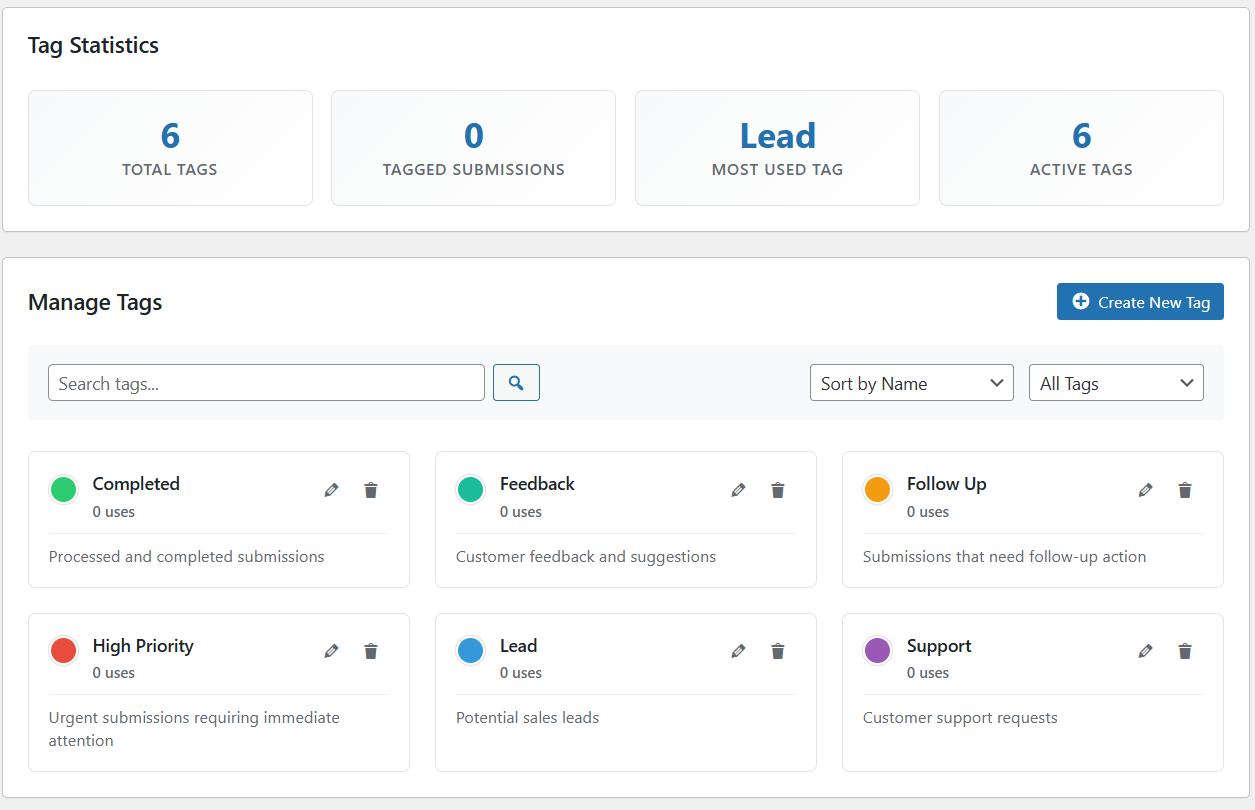
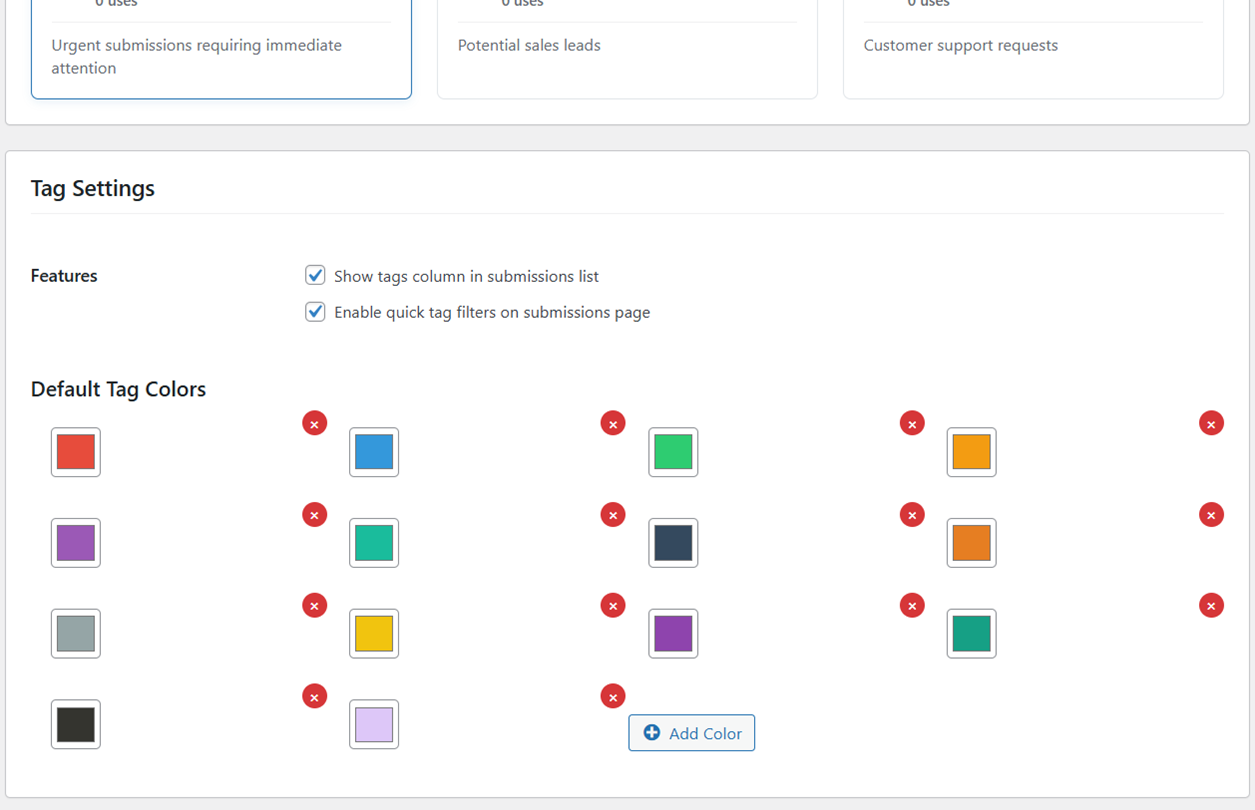
- Create unlimited custom tags with names, descriptions and colors so your team shares one vocabulary for every form.
- Apply color-coded labels so new leads, follow-ups and completed entries stand out the moment you open the list.
- Quick-filter the submissions table by tag in one click — no exports, no spreadsheets, no hunting row by row.
- See a dedicated Tags column on the submissions screen so you know what each entry is about without opening it.
- Start fast with one-click templates — CRM Workflow (New Lead, In Progress, Converted, Lost), Support Tickets (Urgent, Normal, Resolved), or Content Types (Contact, Feedback, Question).
- Track usage with a tag-statistics panel showing total tags, your most-used tag and how many submissions are tagged.
Why it matters
Filtering to just the entries that need you turns morning triage into seconds instead of scrolling every submission. Entry Tags runs entirely in your WordPress admin — no external calls, no third-party accounts, and your submission data stays on your server. Enable the module once and it works across every form that saves entries, so one tagging system covers contact forms, lead-gen flows and support requests alike.
Whether you run a small agency juggling client enquiries or a support team sorting tickets by urgency, Entry Tags gives everyone the same at-a-glance view. Tags persist on each entry, travel with exports, and stay in your WordPress database — so your workflow does not depend on a separate SaaS inbox. Apply a template in seconds, tweak colors to match how your team already talks about pipeline stages, and start tagging from the submissions list the same day you enable the add-on.
How to use it
- Install Auto Form Builder free from WordPress.org.
- Open Add-Ons in the plugin menu and enable the Entry Tags module.
- Create your own tags or apply a one-click template to get started immediately.
- Tag entries from the submissions list and use quick filters to focus on what needs action today.
Related
FAQ
Is Entry Tags free?
Yes — it's a free built-in add-on. Nothing to buy.
Does it work with all my forms?
Yes — any form that saves entries.
Where is my data?
Entirely on your own site — no external services.