
Best Practices for Email Collection Forms
An email list is one of the most valuable assets a business can build — but only if the addresses in it are real, valid, and reachable. A list full of typos, throwaway addresses, and unconsented contacts is worse than useless: it hurts your deliverability and can land you in legal trouble. Collecting emails well, from the start, is what makes the difference. Here are the best practices, all built into Auto Form Builder’s Email field.
Validate the address
The first line of defense is validation. The Email field checks that what someone enters is actually a properly formatted email address before the form submits, so obvious mistakes — a missing @, a malformed domain — are caught immediately. It won’t catch every error, but it stops the clearly-broken addresses from ever entering your list.
Add a confirmation field to catch typos
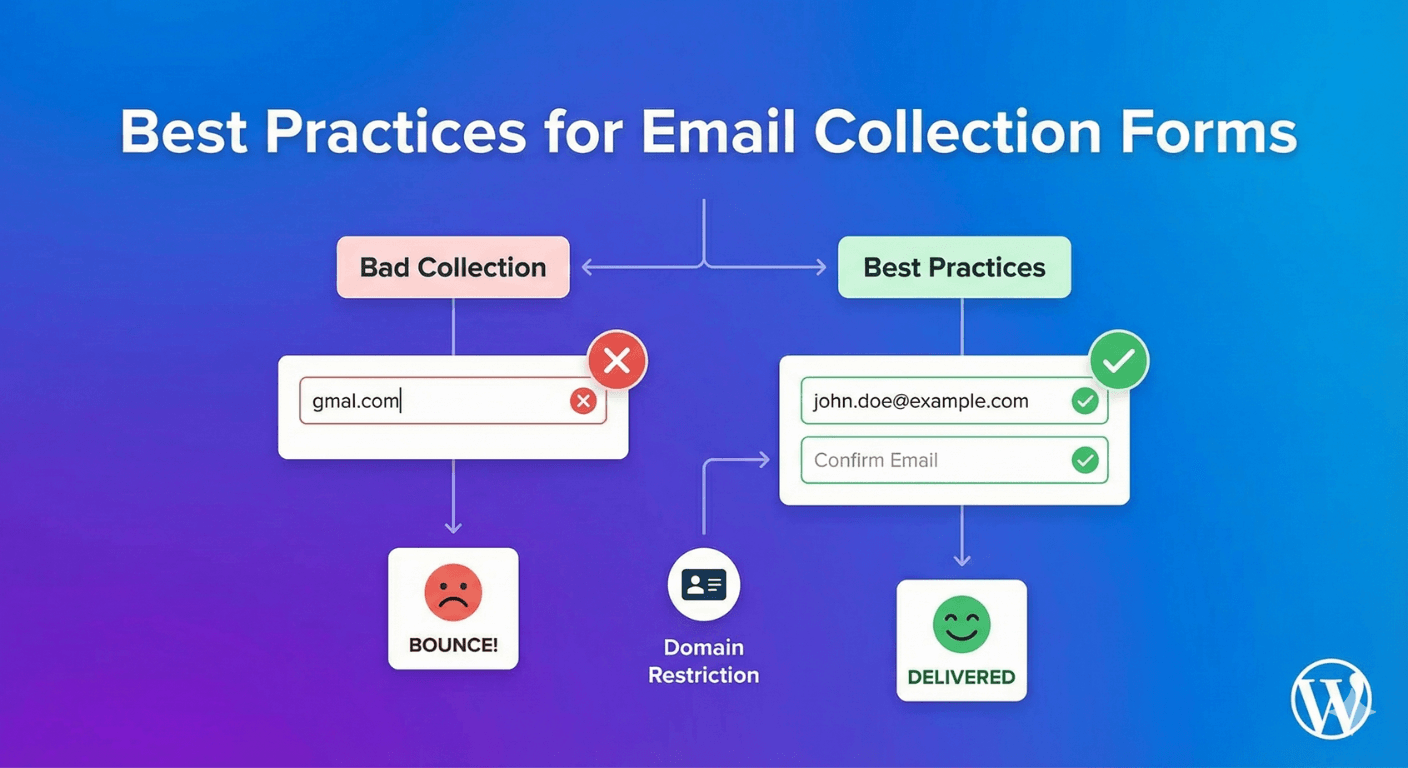
Validation confirms an address is well-formed, but not that it’s the right one. Someone can type a perfectly valid address that simply isn’t theirs — one wrong letter and your emails go nowhere, silently. The fix is a confirmation field: a second box where people re-enter their email, which must match the first. People rarely make the same typo twice, so mismatches get caught on the spot. This is worth its own attention — see our full guide to preventing email typos with double entry.
Restrict domains when it makes sense
Sometimes you only want emails from certain domains — company addresses for a B2B signup, or a specific organization’s domain for an internal form. The Email field can restrict which domains it accepts, so a personal Gmail address won’t get through where you’ve asked for a work email. It’s a simple way to keep a list aligned to exactly the audience you want.
Ask for consent
If you’re collecting emails for marketing, consent isn’t optional — it’s good practice and often a legal requirement. Add a Checkbox field with a link to your privacy policy inside the label, so people knowingly opt in before they submit. A consented list is a healthier list: better engagement, fewer complaints, and compliance you can stand behind. Our guide to consent checkboxes covers the setup.
Keep the form short
The more you ask, the fewer emails you collect. For a signup, an email address is often all you truly need — add a name only if you’ll use it. A short, focused form converts far better than one bristling with fields, and every extra field is a reason for someone to leave.
Protect against spam and bots
Public email forms attract bots that stuff your list with junk addresses. Turn on spam protection — reCAPTCHA or Cloudflare Turnstile — so automated signups are blocked before they pollute your data. A clean list starts with keeping the junk out.
Send subscribers where they belong
Collecting the email is step one; getting it into your email platform is step two. Connect your form to your email tool via webhooks so every valid, consented signup flows straight into your list automatically, ready to be emailed.
The email-collection checklist
- Validate addresses with the built-in check.
- Add a confirmation field where a wrong email is costly.
- Restrict domains if you only want certain addresses.
- Include a consent checkbox for marketing signups.
- Keep the form short and protected from spam.
- Pipe subscribers into your email tool via webhook.
Follow these and the emails you collect will be valid, consented, and reachable — a list you can actually rely on. It’s all free, no code required.
For a step-by-step walkthrough of configuring email fields, see how to add email fields to WordPress forms. For newsletter signup forms specifically, see how to add a newsletter signup form. For GDPR and data-storage considerations, see GDPR-compliant form plugins that keep data on your server.
Ready to build a better email form? Install Auto Form Builder free from WordPress.org.
FAQ
How do I make sure collected emails are valid?
Use the Email field's built-in validation, add a confirmation field to catch typos, and restrict domains if you only want certain addresses.
Do I need consent to collect emails?
For marketing, yes — a consent checkbox linking to your privacy policy is good practice and often a legal requirement.