
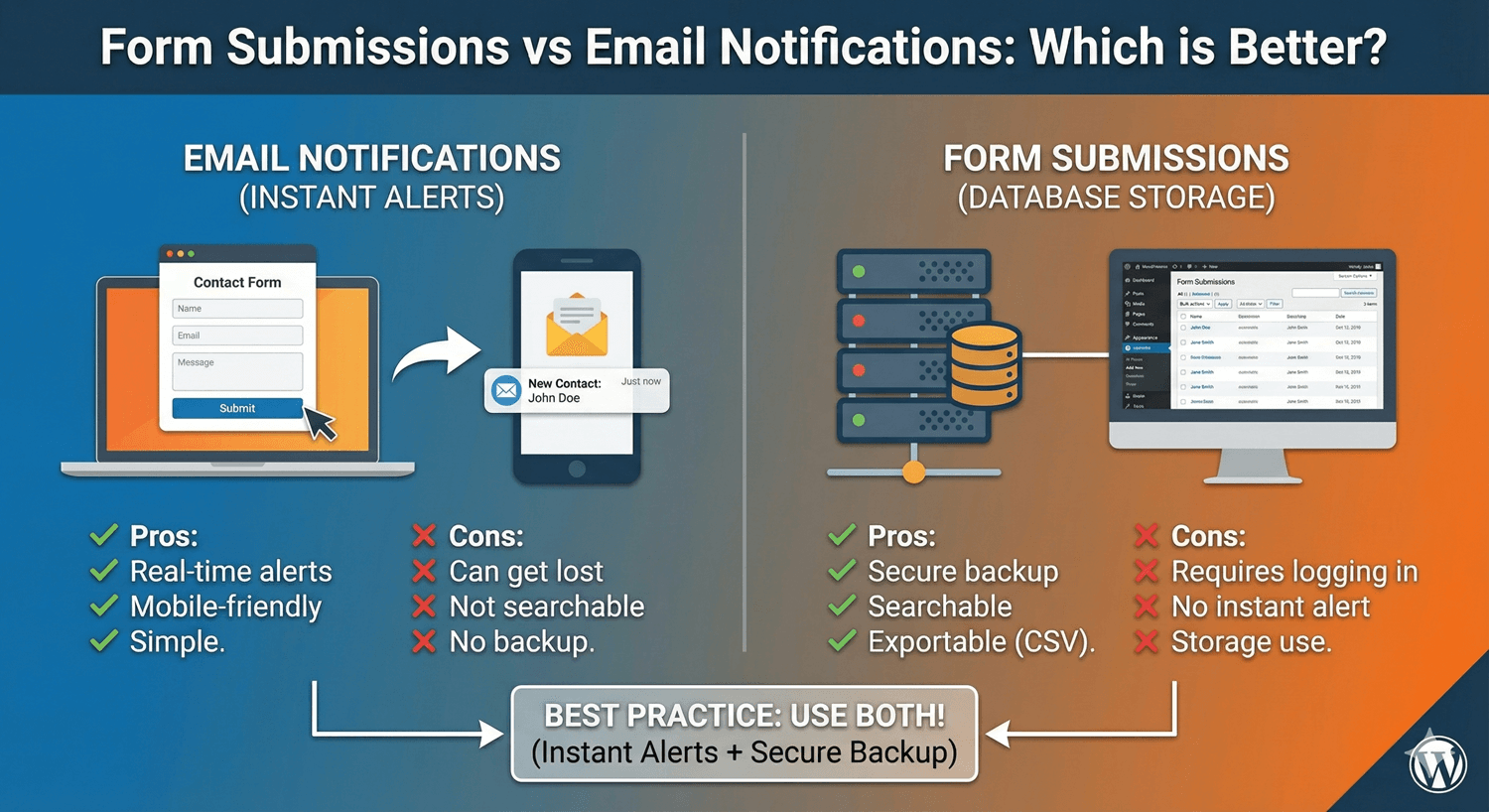
Form Submissions vs Email Notifications: Which is Better?
When you set up a WordPress form, you face a quiet decision: do you rely on email notifications to tell you about submissions, or on stored entries in a dashboard? A lot of people pick one and move on. But framing it as either/or is the mistake — email and stored submissions do genuinely different jobs, and the best setup uses both. Here’s how they compare and how to combine them.
What email notifications are good at
Email’s strength is immediacy. The moment a form is submitted, a notification lands in your inbox and you know about it — no need to log in and check anything. That real-time alert is valuable for anything time-sensitive: a sales lead you want to call back quickly, a support request, an urgent enquiry. Email meets you where you already are.
But email has real weaknesses as a record. Messages get deleted, buried under other mail, or filtered to spam. Worse, by default WordPress sends mail through a basic server mailer that often fails to deliver unless you’ve set up SMTP. Relying on email alone means a lost or filtered message equals a lost submission — and you’d never know.
What stored submissions are good at
A stored submission is the opposite: not the fastest alert, but the most reliable record. Every entry is saved in your submissions dashboard the instant it’s submitted, independent of email entirely. It can’t be accidentally deleted from your inbox or lost to a spam filter. And unlike an email, it’s structured and searchable — you can filter by form or date, search by any field, mark entries read or starred, and export everything to CSV or JSON.
The one thing a dashboard doesn’t do is come to you. You have to open it. On its own, it’s a perfect archive but a poor alarm.
Why the answer is “both”
Put them together and each covers the other’s weakness. Email gives you the instant heads-up so you can respond fast; the dashboard gives you the dependable, searchable record so nothing is ever truly lost. If an email gets filtered, the entry is still safe in the dashboard. If you’re away from your desk, the email still reaches you. Auto Form Builder does both automatically — every submission is stored, and you can configure notifications on top.
Make the combination smarter
You can go further with conditional logic: route different submissions to different email recipients, change the subject based on the answers, or skip an email in cases where the dashboard record is enough. That way email stays useful and uncluttered, while the dashboard quietly captures everything.
The verdict
It’s not submissions versus email — it’s submissions plus email. Use email as your real-time alert and the dashboard as your reliable system of record. Set both up once, and you get speed and safety together, for free.
Related reading: Managing WordPress form submissions and how to set up email notifications.
Ready to set up both? Install Auto Form Builder free from WordPress.org.
FAQ
Do I need email notifications if submissions are stored?
They serve different purposes. Stored submissions are your reliable record; email notifications alert you in real time. Using both gives you speed and safety.
Are stored submissions more reliable than email?
Yes. Email can be delayed, filtered, or lost, but a stored submission is saved on your site regardless — so it's the dependable system of record.